
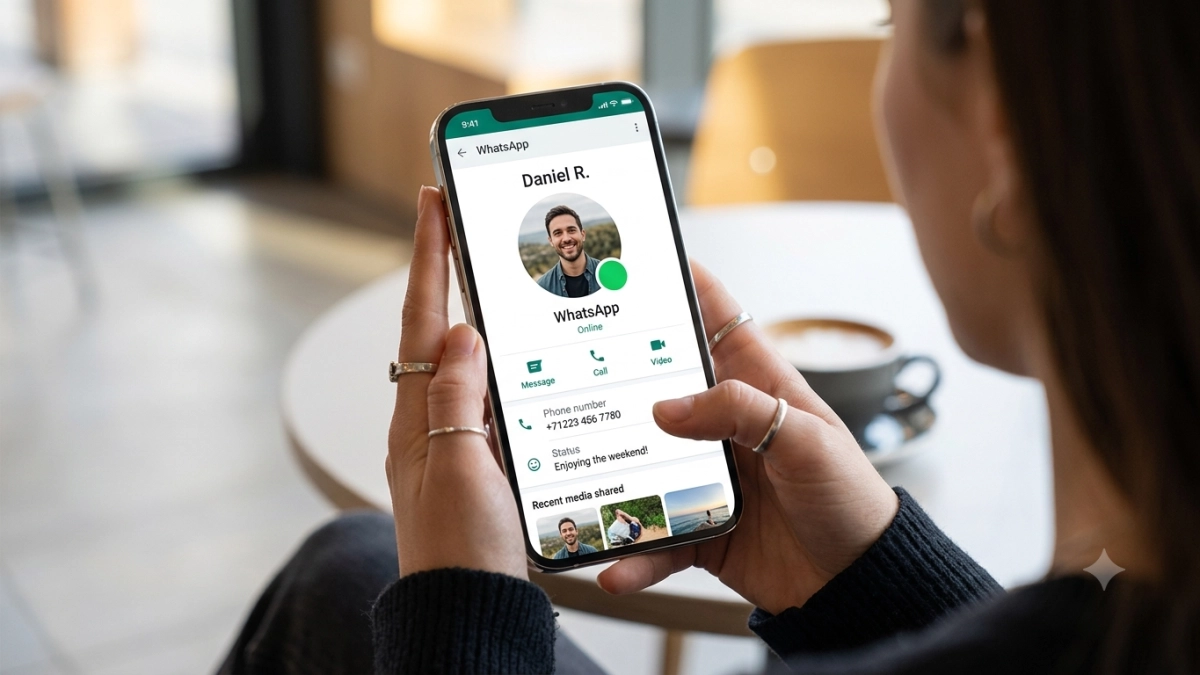
WhatsApp, the world’s most popular messaging platform under the Meta umbrella, is rolling out a significant visual update to its interface. Users across the globe are beginning to notice a new, intuitive feature: a vibrant green circular icon appearing directly on their contacts’ profile pictures to signal when they are currently active in the application. This subtle yet impactful change marks a departure from the traditional text-based "Online" status, moving the platform closer to the visual language of its sister apps, Instagram and Messenger.
Main Facts: The "Green Dot" Explained
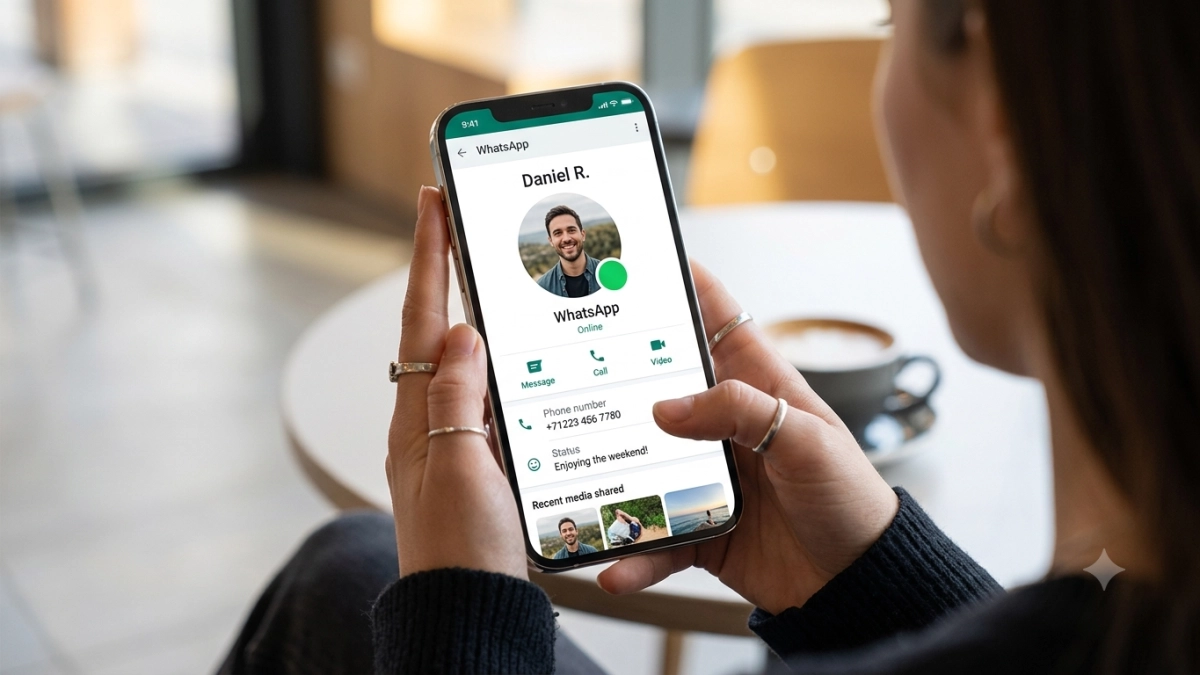
The new indicator is designed to provide immediate, at-a-glance information regarding a contact’s availability. Unlike the previous text-based status, which required a user to open a chat window to verify if someone was active, the green dot sits prominently on the main chat list and contact list, offering a streamlined experience for those who rely on real-time communication.
Key Characteristics of the Feature:
- Visual Integration: The green icon is strategically placed on the avatar or profile picture, ensuring that users can identify active contacts without navigating deep into the app’s submenus.
- Contextual Sensitivity: The indicator functions only while the user has the WhatsApp application open and is actively interacting with the interface. Once the app is closed or moves to the background for an extended period, the green dot disappears, ensuring accuracy in reporting presence.
- Unified Ecosystem: This update aligns WhatsApp with the broader Meta design philosophy, standardizing the "online" experience across the company’s portfolio of social and communication tools.
The rollout is currently in its nascent stage, being pushed initially to users enrolled in the Beta programs for both Android and iOS. This testing phase allows developers to monitor system load and gather user feedback before a global, stable release.
Chronology: From Text to Icon
The trajectory of WhatsApp’s presence indicators has been a slow evolution aimed at balancing transparency with user privacy.

In its early years, WhatsApp relied solely on a "Last Seen" timestamp, a feature that caused significant friction between users who felt their privacy was being compromised. Over the last decade, Meta has systematically introduced granular controls, allowing users to toggle these features off.
The transition to the "Green Dot" represents the latest step in this evolution. While the text "Online" remains a staple of the user experience, the visual shift to an icon suggests that Meta is prioritizing speed and efficiency. By mimicking the visual indicators of Instagram and Messenger, Meta is attempting to create a more cohesive user experience for those who oscillate between their platforms throughout the day.

Observers in the tech industry have noted that this move is not merely aesthetic. It is a strategic effort to drive engagement by making the app feel "alive," where users are constantly aware of who is available for an immediate conversation, thereby reducing the friction of starting a chat.
Supporting Data and Technical Implementation
Technically, the "Green Dot" is tied to the existing "Online" status backend. WhatsApp uses a real-time WebSocket connection to determine user activity. When a user opens the app, a handshake signal is sent to the server, which then broadcasts that status to their contact list.

However, the implementation of the green dot does not override existing privacy settings. Data from early testing indicates that the system is designed to respect the hierarchy of permissions. If a user has previously configured their settings to hide their "Last Seen" or "Online" status, the green dot will not appear for them, even if the feature is active globally.
Privacy Configurations:
- Navigating Settings: Users must access the "Privacy" section within the main settings menu.
- Synchronized Controls: Under the "Last Seen and Online" tab, users have the power to define who sees their status (Everyone, My Contacts, or Nobody).
- The "Nobody" Protocol: If a user selects "Nobody" for their "Last Seen" status, the application automatically disables the "Online" status for that user as well. Consequently, the green dot indicator will cease to function for their contacts, maintaining a strict adherence to user-defined privacy parameters.
Implications for User Privacy and Digital Well-being
The introduction of the green dot has ignited a debate regarding the "always-on" culture of modern communication. For many, the visual prompt of a green dot creates a subtle psychological pressure to respond immediately.

The Privacy Perspective
Privacy advocates argue that while the feature is convenient, it further erodes the "asynchronous" nature of messaging. Historically, messaging apps were seen as tools where one could respond at their leisure. By highlighting presence so vividly, platforms like WhatsApp shift the expectation toward synchronous communication, similar to a phone call or an in-person meeting.
The User Choice
Conversely, proponents argue that the feature provides necessary transparency. In professional or urgent settings, knowing whether a contact is active can save time and prevent "message ping-pong," where users wait hours for a reply from someone who has actually been using the app all along.

The fact that WhatsApp has allowed for a "soft" disablement—by linking the feature to the "Last Seen" settings—is a testament to the company’s awareness of these privacy concerns. By allowing users to opt-out simply by adjusting their existing privacy settings, Meta avoids a significant backlash from users who value their digital anonymity.
Official Stance and Future Roadmap
While Meta has not issued a formal press release detailing the philosophical intent behind the green dot, developers have indicated in beta release notes that the change is intended to "simplify communication dynamics."

Industry analysts suggest that this is part of a larger plan to integrate AI-driven features into WhatsApp. As Meta continues to roll out its generative AI tools, the platform is likely to become more proactive. For example, knowing who is currently online could one day allow AI assistants to suggest "who is available to talk" or "which group chats are currently active," further blurring the lines between passive and active digital engagement.
How to Manage Your Status: A User Guide
For those who prefer to remain "invisible" or simply value their privacy, the management of this new feature is straightforward. As of the current update:

- To disable the status: Navigate to Settings > Privacy > Last Seen and Online.
- The "Same as Last Seen" Rule: Ensure that your "Online" setting is set to "Same as last seen." Then, set your "Last Seen" to "Nobody."
- The Result: By restricting who can see your "Last Seen," you effectively trigger the system to mask your current activity status from everyone, meaning the green dot will not appear next to your name for any contact.
Conclusion: The Path Forward
The transition to a green dot indicator is a quintessential example of how tech giants iterate on legacy platforms. By updating the visual language of WhatsApp to match the modern standards of social media, Meta is ensuring that its most important asset remains relevant in a crowded market.
However, the true success of this feature will not be measured by its aesthetic appeal, but by how well it respects the diverse privacy needs of its two billion users. As the feature moves from beta to a global rollout, the company will need to remain vigilant in ensuring that the balance between accessibility and privacy remains intact.

For now, the green dot serves as a reminder of the digital age: we are more connected than ever, but the power to choose how, when, and if we participate remains—for the moment—in our own hands. As we move into the latter half of 2026, it is clear that WhatsApp will continue to refine its interface, and users should expect more integration, more automation, and more opportunities to customize their presence in the digital landscape.